Buy Kindle books from outside US

The Kindle 2 / Kindle 3 is now available for overseas market as well. So please read the following blog post if your country is not covered by the latest scheme, or you want to know more about other Kindle information.

Got your Kindle ? Now time to buy some books.

If you are staying in US, buying Kindle books is easy. Just select your book, click the “Buy Now with 1-click” and Amazon will send the book to your Kindle with Whispernet in a matter of minutes.

However, you need different steps if you are not staying in US. Here is how …

  1. First of all, Amazon will not sell Kindle books unless you have a US address. Therefore, you need to change the billing address of your credit card to a US address (see my blog post on getting a US address for shopping).
  2. Next, buy your Kindle book as usual, click the “Buy Now with 1-click”. Then in your Kindle Management Page, scroll down to the “Your orders and individual charges” section. Find the book you just bought, and change the right most setting to “Download / Send to Computer”. Then you can save the eBook to your computer, and transfer to your Kindle with the USB cable. Simple.

Download eBook

Update 1 : I think I better specify couple more points – First, I use an American Express card and it worked (i.e. I am not sure whether other credit cards work like that or not). Second, I also needed to assign an US address in the 1-click payment method. Hope it helps.

Update 2 : Another possible approach (similar information here) is to use your International credit card to buy an Amazon gift certificate, and then buy eBooks using this gift certificate. Don’t forget to delete your credit card information first from Amazon 1-click payment setting. Hope it helps.

Update 3 : As mentioned in above update, you can buy Kindle books via Amazon Gift Certificate / coupon / card. May be it’s better if I detail the steps here:

  1. Opened a new Amazon account with an US address;
  2. Use your other normal Amazon account to email yourself a gift card;
  3. Use the gift card on your new Amazon account;
  4. Then, your new account has no credit card just a balance from the gift card;
  5. Register your Kindle to your new account, turn on the option one click buying;
  6. Buy a book with one-click with your new account and then download the book you bought to your computer;
  7. Hook up the Kindle to the computer and transfer the downloaded file to the document section of the Kindle;
  8. That is it !!

Update 4 : Looks like since end September, there are problems in buying Kindle books outside US. And that affect both Credit card and Gift coupon purchasing methods. One solution suggested is to use proxy services as looks like Amazon is checking the IP address of the order. You can find more details here for the moment, and I shall report back once I found a workable method to do that.

Update 5 : (2009-10-05) I tried to buy Kindle books with my Credit card method and it failed just like the Gift coupon method. However, since it is related to the check of non-US IP address, I just used Hotspot Shield to hide my IP address and then tried again. And it worked !! So, I guess it works as well for gift coupon method. However, this incident worried me a lot … For those who have not bought the Kindle outside US, please reconsider it before you decide to buy it. You may or may not able to buy Kindle books in future if Amazon enforce some checks again.

Update 6 : The Kindle 2 is now available for overseas market as well. So please read this blog post if your country is not covered by the latest scheme only.
Using Kindle outside US

Now, you have the Kindle by following the guide of buying Kindle 2 from outside US. There are couple of things you need to know on using Kindle in your homestead.

  1. Don’t charge your Kindle with your home power supply – unless at home you have the same voltage and US two-pronge plug. Instead, use the USB cable and charge it with your computer.
  2. Amazon use Whispernet to send the book to your Kindle, and it consumes lots of battery power of your Kindle as it needs to search / connect to Whispernet constantly. But since there is no Whispernet outside US, you shall switch off the Whispernet (from the Kindle menu) as soon as you get your hands on it.
  3. With your Kindle account, you need to set up a Kindle email address such as xxxx.xxxx@kindle.com. You can send files to that account and Amazon.com will convert the files for Kindle reading.
  4. On the other hand, Amazon will send the converted file to your Kindle directly via Whispernet. Since you don’t have Whispernet in your country. What you need to do is to send the files to a different address – xxxx.xxxx@free.kindle.com. Amazon will then convert the file and send you an email with a link to the converted file. You can then save the converted file and transfer to your Kindle.
  5. Kindle is beautiful, but make sure you buy a cover to protect it.
  6. Register to www.mobileread.com, it provides lots of support to mobile readers like us … outside Amazon.com.

Update : Since the screen saver picture also consumes power, therefore switch off your Kindle, instead of turning it to sleep mode before you go to bed. That will make your Kindle battery last for two, three weeks; instead of just a few days.

Update 2 : Kindle 3 is now available, great product !!

Update 3 : As you may aware, you can register your Kindle thru the “Manage your Kindle” in Amazon website, but not registering it using Whispernet … but here is a trick – create your own reginfo file and copy to your Kindle (for expert only … I warn you first).

Buy Kindle 2 from outside US

BREAKING (2009-10-07) : The Kindle 2 is now available for overseas market as well. So please read the following blog post if your country is not covered by the latest scheme, or you want to know more about other Kindle information.

Kindle 3 is also now available, go get it !!

So, you want the Kindle 2 but you are not living in US, what can you do ? (Since Amazon.com does not ship the Kindle outside the United States.) You basically have two options, one is ask a friend in the US to buy one and load it up with a lot of books and post it over. The other option is like what I did just 10 days ago (and now I have a Kindle 2 with me already).

  1. Basically, all you need is a Visa credit card and a mobile phone – if you’re staying in Hong Kong, Singapore, Mainland China and Taiwan.
  2. First, go to Onenow.com, get registered … turn on your mobile phone, as they will send your an SMS with the registration verification code. You will then get an USA address. Yes, it’s that simple.
  3. Go ahead to Amazon.com do shopping, the Onenow.com will resize the windows such that you will see the Onenow.com window (with your US address) and the main shopping window (i.e. Amazon.com).
  4. Buy the Kindle 2, and enter the Onenow.com US address as your delivery address. I also picked the standard delivery mode – i.e. 4 to 5 days to any US address and it costed me US$ 8.
  5. Upon finished the purchase, enter the purchase details to Onenow.com to indicate to them there is one shipment going to deliver to the address. They will have a Purchase verification code as an SMS as well.
  6. Later Amazon.com will probably send you information that the products has been shipped. And also Onenow.com will send you an email once they have received a package.
  7. By then you have a choice, indicate Onenow.com that the transaction has been completed or you can wait for other shipments (as many times eShop will split an order to several shipments). If you decided that the transaction has been completed you can click the “complete” button. And then click the “Ship” button to kick start the delivery process – you will need to enter your local delivery address and select delivery mode. I picked the speedier one as it cost only US$ 7 more (US$37).
  8. DHL is the delivery services provider of Onenow.com. Once the package Airway Bill prepared, they will send you the an electronic Proof of Delivery (ePOD) code via SMS and email – i.e. you need to confirm this code when the product arrives your door.

Update 1 : How do you buy Kindle as a gift without it attaches to your Amazon account? If you choose the gift option available in Amazon’s checkout process, the Kindle will not be attached to your Amazon account. The recipient will be able to register the Kindle to his/her Amazon account directly from the device or from the Manage Your Kindle page. If you forgot to choose the gift option, you need to “deregister” your Kindle 2 such that your friend can register it.

Update 2 : If you’re staying in Singapore, Australia, Malaysia or other Asian countries, you can also try VPost instead of Onenow.com. Hope it helps.

Update 3 : Amazon introduced some checks on the IP address to prevent people buying books from outside US from end September 2009. Please check this blog post on how to buy books and bypass the IP address check issue.

Update 4 : The Kindle 2 is now available for overseas market as well. So please read this blog post if your country is not covered by the latest scheme only

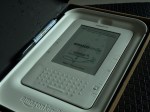
Some pictures of my Kindle 2: