User Experience – Fare Conversion Table

After months’ of discussion, finally the flag-fall fare of all taxis in town raised by $1 yesterday. Since there is only a rise in flag-fall fare but not the fare per kilo-meter, the new taxi fare is therefore quite easy to calculate – just add $1 to the meter reading.

And since there is not enough time to re-calibrate all the meters of all taxis, so the local government’s transport department issued a taxi fare conversion table to display in each taxi for passenger reference (see below).

Taxi fare table

Yesterday in one taxi trip I had a chance to read this conversion table – it read something like this:

$ 15.00 -> $ 16.00
$ 16.40 -> $ 17.40
$ 17.80 -> $ 18.80
….

Yes you read it right, it just add $1 to all the small numbers in the table above. I mean, to make this piece of paper a lot more useful, why not just print one simple but bold sentence ?

Add $1 to the meter reading, thank you !!

Now you can tell, how our government officials use their brain …

When a phone is not a phone

The charismatic leader Steve Jobs once said the killer application of a mobile phone is … making phone calls. He said it last year when he introduced the iPhone and sure, iPhone changed the world a lot in terms of mobile device usability and applications. But seriously, most of time I found people are just playing with their iPhone as a toy or a fashion icon, instead of making phone calls. Look around, and you know what I mean.

I can imagine a mobile phone with good UI, good application is a powerful device and platform; and I firmly believe mobile commerce will be a totally new ball game (unlike other says, mobile commerce is only an extension of Internet eCommerce).

But before all that, get ready to spend more time to play with your phone, change the look, desktop, widgets etc. etc. See the following, another new UI system from Samsung F480 …

The new new gadget

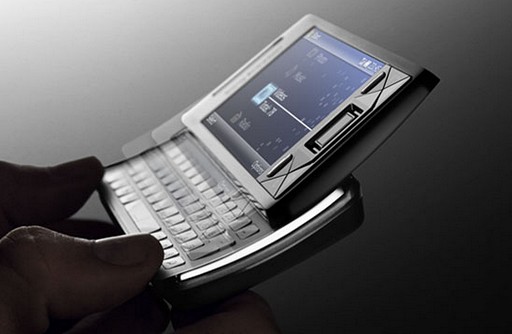
Finally one gadget that can replace my Dopod C730. You know, I always wanted a communication device (read: phone) with better keyboard, wider screen and faster processing. The Dopod is great and quite perfect for my needs, until the Sony Ericsson Xperia X1 …

sony-xperia-x1.jpg

You can check out other beautiful photos and the technical specification in its site, and essentially it has everything under the sun. Before you hop to other sites, one video about the new phone and the new user interface.

You wanna get one, don’t you ?

My iPod story

For years, my friends tell me how great the iPod is and as a music lover, I always wonder why I didn’t get an iPod for my musics. So I decided to buy one as my X’mas gift last year. Before the actual purchase I did a very scientific evaluation. I entered the storage size, weight, volume (!) and price of the iPod Nano, Touch and 80G / 160G Classics into a spreadsheet along with same figures of my Archos and Dopod (my trusty digital wallet and smartphone).

Then I calculated the weight per song, volume per song and cost per song (to store in iPod), and I also performed sensitivity analysis to tell what device is the best buy if I have 2,000, 4,000, 10,000, or 20,000 songs to store to it.

The result of this geeky sophisticated analysis was I needed a black iPod Classic 80G. Why the analysis could tell what color I needed ? I don’t have a clue … 😎

But then the trouble beings … first I have trouble to make the iPod recognize the song details if those are not in English … I have to retype hundreds of songs’ title, album and artist information. In a word, painful.

The second issue is without an iTunes store in my country, I have no easy way to get the cover art to the iTunes and iPod. After lots of searching, evaluation I eventually installed a Yahoo Widget – iTunes Companion that will automatically download the album art from Amazon.

The most recent trouble is after just 3 weeks of usage, my iPod can no longer play songs smoothly – it will play one song, and refuse to play the next even I press the next button. Again, I searched numerous forums to find the ins and outs of it. Finally, I found a way to reset the iPod and solved the problem (for now):

  1. Toggle the Hold switch on and off
  2. Press and hold the Menu and Center (Select) buttons simultaneously until the Apple logo appears (about 6 to 10 seconds).
  3. You will see the Apple Logo appear and your iPod will come to life with a lit screen. If this does not happen please within 2 mintues please repeat steps 1 and 2.

A looooong story, but if you are considering to buy an iPod … re-read this post. 😎