My Kindle-iPad experiment

If you search “Kindle vs iPad” in Google and you will probably find over 6 millions results, in other words this topic has been discussed to death. And of course, Amazon thinks there are many good reasons why Kindle is a better ebook reader and I also blogged before that with certain settings, one can use iPad to read ebooks.

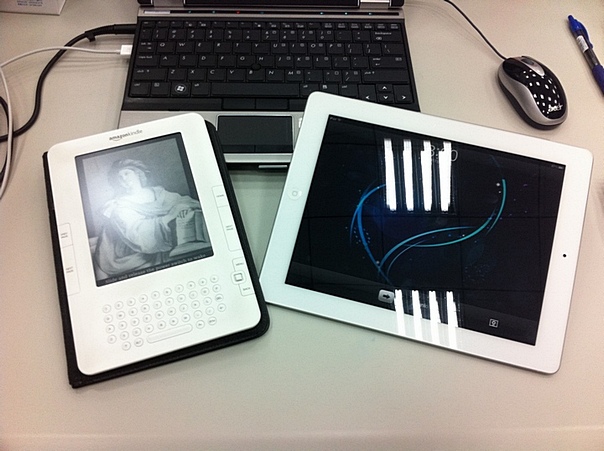
But still, to really find out which device is the better ebook reader, I decided to do an experiment – read the first half of an ebook (“I Live in the Future & Here’s How It Works: Why Your World, Work, and Brain Are Being Creatively Disrupted“) with Kindle 2, and then the second half of the same ebook with iPad 2. And here are my findings:

iPad

  1. I like the fact that you can check mail, news, tweets, Facebook walls etc. easily while you’re reading your ebook
  2. I hate the fact that you can check mail, news, tweets, Facebook walls etc. easily while you’re reading your ebook
  3. It’s the faster device of the two
  4. The battery lasts only 10 hours, and I don’t like the battery indicator (in percentage) in the upper right corner … it makes me worry about the battery all the time
  5. Without a keyboard, the touch gesture can turn the page, highlight a word / sentence, toggle the menu system etc. etc. – in one word, “confusing”
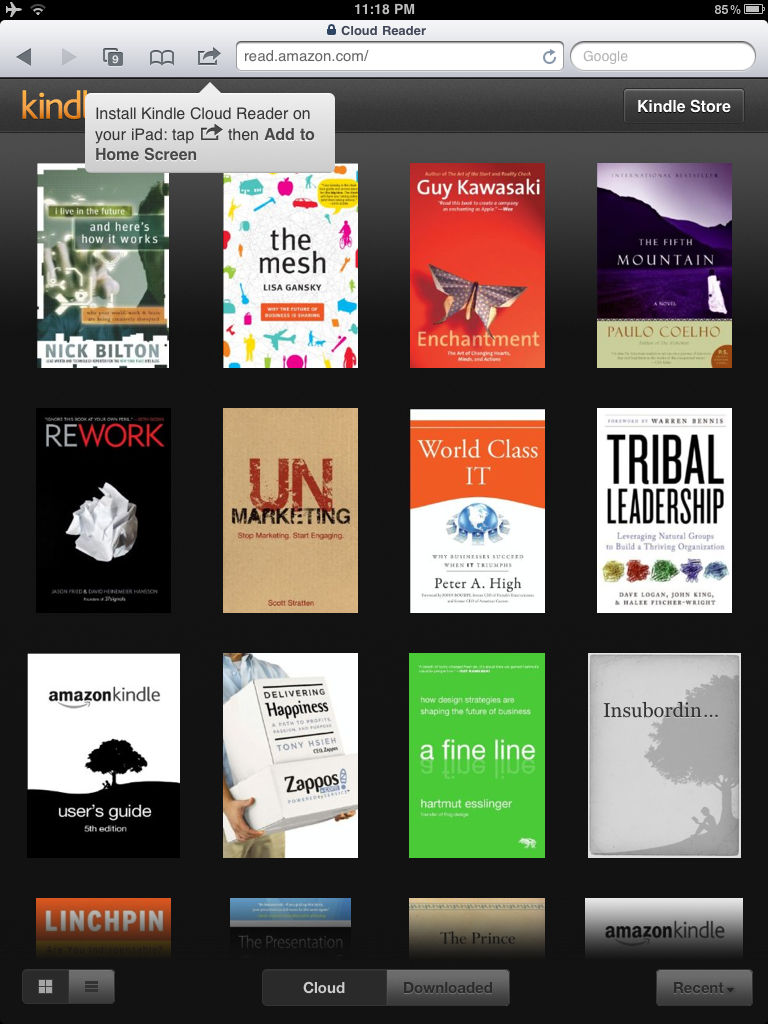
  6. I like all the colorful book covers in the home screen. It’s pretty much like the album library in iPod is great, but I still like to see all the CD covers.

Kindle

  1. I like the fact that you cannot check mail, news, tweets, Facebook walls etc. easily while you’re reading your ebook
  2. I hate the fact that you cannot check mail, news, tweets, Facebook walls etc. easily while you’re reading your ebook
  3. The e-ink screen is much much better than iPad (for any serious long form reading), your eyes will never get tired, strained and drained;
  4. Battery life of two weeks is good, you can easily finish a book without a recharge;
  5. With the keyboard and buttons to go to next / previous page, it is a lot easier to use.
  6. You can buy ebook easily with the Kindle shop.

Summary

Without a doubt, Kindle is a much better ebook reader if you like focused long form reading. However, if you can only take one device with you and reading is not your primary purpose, get an iPad. You won’t regret it.

Kindle for iPad survival guide

I have to admit I did not pay much attention to Kindle for iPad as the tool to read eBooks, even the application “looks” good with iPad and iPad 2. Reason is simply that I have a Kindle and it’s a much better device for reading. However, in most trips I will bring both my Kindle and iPad 2 along – the Kindle for eBooks, and the iPad 2 for emails, Facebook, RSS, and eMagazines like Bloomberg Businessweek.

On the other hand, there are trips that bringing two devices is a bit too heavy; and I have to decide – Kindle or iPad 2 ? For me, sometimes it is Kindle (when I have a book to finish …) and sometimes it is the iPad 2 (say, when there is a new issue of Businessweek to read). So when there is only the iPad 2 with me, and I want to read a few chapters of an eBook, I need to use Kindle for iPad apps. And to make this “reading experience” a more pleasant one, I applied the following settings to the application …

Pick the right books

All your purchased ebooks are stored in the Amazon archive, you can transfer all the books from the archive to your iPad but my recommendations is to only transfer the ebook(s) you are reading to your iPad, that save space in your iPad and also the synchronization time every time you start up the application.

Change the settings

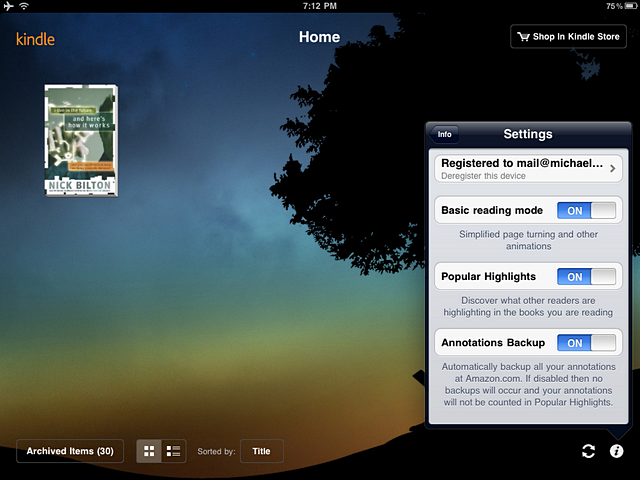
From the lower left corner of the home page, click the “info” icon to start up the Settings menu. There are only three options but I highly recommend to turn on the “Basic reading mode”. It means it will not use the page turning effect when you touch the left / right hand side margin, but just sliding the pages.

Download the dictionary

By installing the Kindle for iPad application, the dictionary is not downloaded (it is however come as a standard in Kindle). All you need to do is to “touch” any one word from any eBook, and hold it for a while, then a dialogue will be popped up and ask you to confirm to download the dictionary.

Change the view options

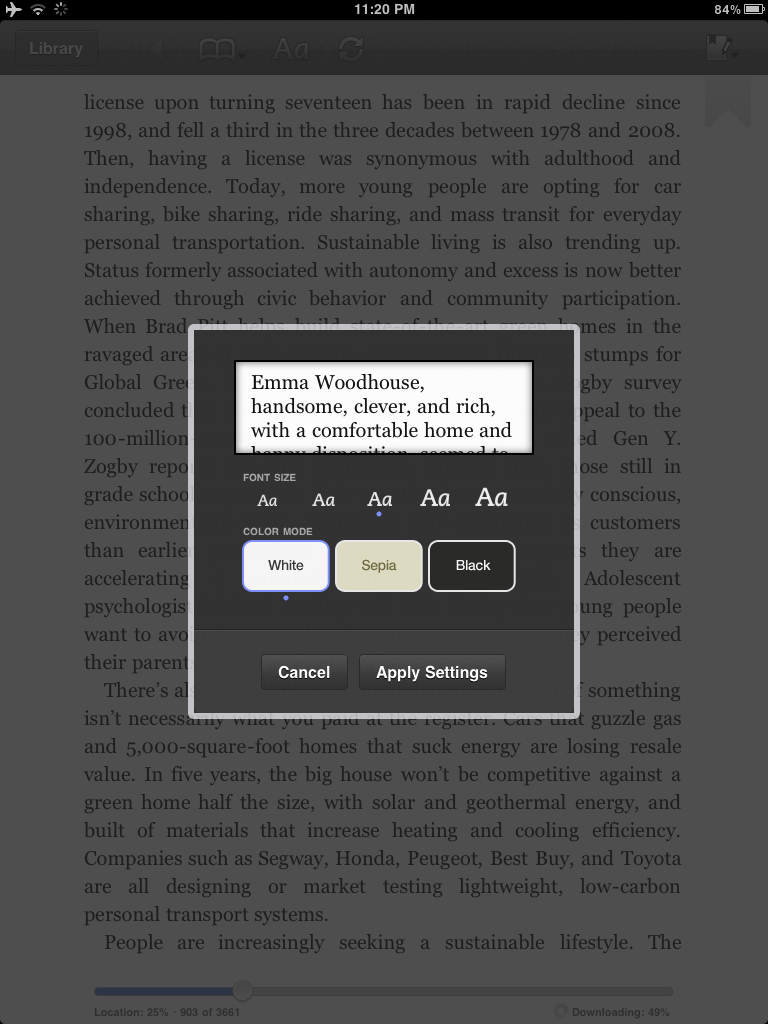
It’s probably the most important part of this mini survival guide. One of the key problems to use iPad as eBook reader is the fact your eyes will get tired easily just by viewing the beautiful screen continuously, so we need to tune the screen to make it pleasant to look at.

In any page of your eBook, touch screen, and select “Aa” in the bottom menu to start up the View Options menu. What I did is changed all the four options – set the right character size and brightness that fit your reading environment. Set the background to black color, and lastly set it to single column reading (it’s better than two columns when you use your iPad 2 sideways, since you’re probably using the Smart Cover).

Hope the above helps a bit to your reading with Kindle for iPad. Enjoy !

Why is it not US$ 99 ?

About 10 days ago, Amazon announced a new version of Kindle 3 – the same look, the same specification but US$ 25 cheaper (i.e. the new low price is US$ 114). But there is one catch – you can buy one at this low price as long as you allow Amazon to place “Special Offers” (read “Ad”) on to your Kindle.

When I scanned this news, several questions popped up in my mind …

  1. How this going to work ? If I bought this Kindle and never turn on the WiFi / 3G, how can they download the “Special offers” to my eReader ? So is it mean I can enjoy a new device with low low price without any Ads ?
  2. When will the price slashing stop ? I bought my Kindle 2 over US$ 300 two years ago and now you can get a brand new Kindle 3 for one third of the price.
  3. Why is it not US$ 99 ? I mean the psychological barrier is US$ 100, so why not another 15 dollars cut ? My view is there may be another wave of price cut in near future (say, after summer holiday).
  4. When will the next Kindle (if there is one) be announced ? The current pricing strategy makes me think that a new model will arrive very soon – may be one with color screen ?

I have no good answers … but looks like at this price point, every book lover shall get one.

Close encounters of the third kind

According to the Hynek’s scale, first encounter is an event about sighting one or more unidentified flying objects (UFOs). And in my case, I encountered an unidentified computing objects (UCOs, i.e. computers) 30 years ago and it’s unidentified because those computers are housed in a large room, behind a thick wall and we could use it only through an “operator window” and with a deck of punch-cards.

Then for the second encounter – it’s an observation of UFOs, associated with physical effects like heat, interference with TV / radio reception and lost time. So obviously, my second encounter of computers were the desktop (in mid 1980s) and laptop computers (early 1990s). I could feel the heats, noises generated from the computers and of course I lost thousands of hours with these devices.

Fast forward to year 2011, third encounter is about some “intelligent communication” with “extraterrestrials” and “aliens”. I guess it is pretty clear, the smartphones, eBook readers and tablet computers are aliens to many and those all require intelligent communications if one wants to master one of these.

So, what’s the latest aliens ? It’s the iPad 2 … thinner, lighter, faster, last longer than the original iPad, and it even come in white color. But how is it compare to Kindle as a reading device ? In my view, iPad 2 is the best all-purpose tablet device in the market. It is so good that you will spend all the time (i.e. lost more hours) with the wonderful apps from the iTunes store, and therefore … you won’t spend quality time at all to READ.

So … for book reading, go for Kindle, no matter you like to read it under bright sun or not.

Kindle vs iPad 2

iPad vs. Kindle Part 2

Yes I was asked many times why I use Kindle to read eBooks but not iPad (even though I have both). I guess each of us has different reasons on why we pick one over the other, but apparently Amazon particularly likes to emphasize one point – One can read easily in bright sunlight.

Granted, it is one important selling point for many, but as an IT bug I actually don’t have the luxury to see many daylights … but again your mileages may vary and that’s why I am not that surprised when Amazon release another video on this great feature with a new tagline – “The book lives on”.

Yes right, “the book lives on”, but please release a better ebook reader than Kindle 3 with touch screen, and Unicode support.

The original video of Kindle about that “one-can-read-easily-in-bright-sunlight” feature.