Third annual report of a tiny, little blog

I started the annual reporting of this tiny blog since 2009, and I found it is a very good way to tell how the blog compare to previous year. The first thing I found is I blogged a lot less in year 2011, in fact I posted only half as many posts as in year 2010. And therefore, the blog also sold only 76 various models of Kindles (33% less compare to previous year).

As usual, people bought many other stuff from Amazon thru the site, for examples:

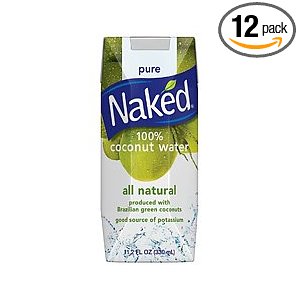
However, the most funny products sold in the last 12 months, definitely belonged to that pair of Freudian slipper and naked coconut water


Same time next year, another annual report is waiting for you.

Shades of grey

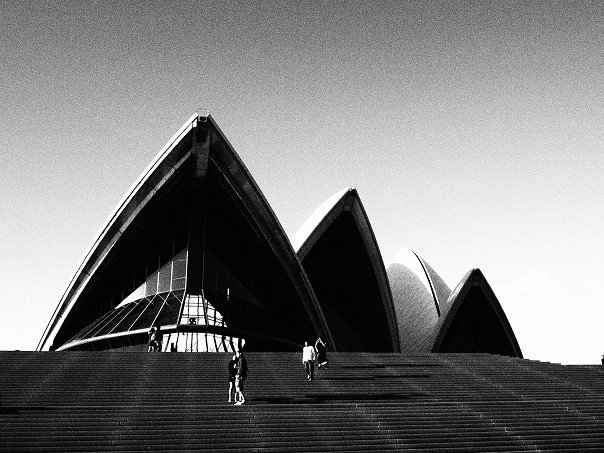
I like black and white pictures. A lot.

But I am not exactly know why, may be it’s like what the famous writer Stefan Kanfer writes – “There’s something strange and powerful about black-and-white imagery.“. Or may be just because I am now old enough, and the world is no longer colorful.

“Shades of grey wherever I go
The more I find out the less that I know
Black and white is how it should be
But shades of grey are the colors I see.”

Billy Joel

Unlike others, I don’t take photos in color mode and then process those to black & white with retouching software. (Yes, I switched to digital photography for quite some years) Instead, I toggle on the black & white mode with my camera (e.g. Olympus E-5, E-P3), and just take the photo as is. Many times, I used the “grainy” mode to add some textures to the photo as well.

So, what’s your story of taking black and white photos ?

8 tips to organize your iPhone / iPad apps and folders

How many apps you have downloaded to your iOS devices ? And is it easy to find them from within the devices – then run your favorite game or utility apps, move them or delete them ? Yes I know many of you have your favorite apps in the home screen and you can organize the apps into folders as well … but more questions pop up – how to name the folders ? How to arrange the folders ? And is it easy to find the folders you created last week or month in your iPhone / iPad ?

iPhone and iPad are smart devices but you need to be very smart as well one way or the other, to make that device works for you. Other than downloading good apps, I firmly believe you also need a smart(er) way to organize your apps and folders – and in turn, better user experience.

And here are 8 tips and tricks on that:

  1. First, only download the apps your need. A simple but important trick, for example, if you don’t play games at all then why download the Angry Birds ?
  2. Second, organize all standard Apple apps (Clock, Calendar, Contact, Map etc.) in the home screen of the device. With this approach, when you know you need to run those standard Apple apps, just go to the home screen to find it. Free up your mind, you don’t need to memorize where are those apps – like, where is the Map apps ? However, if there are really some Apple standard apps you don’t need in the home screen – save those into a separate folder, say “Apple apps”.
  3. Always leave a row in the home screen for your apps and folders though, in other words, only keep at most 12 standard Apple apps in the home screen (in the case of iPhone). That will leave you 4 “slots” to place your own apps or folders. For iPad, keep 15 standard Apple apps in the home screen and leave 5 “slots” for the apps folders.
  4. In the case of iPad, you can also move one of your favorite apps to the apps docking bar in the bottom of the screen. In my case, I added Zite to it.
  5. In the home screen, keep the most used apps on the left most column (if you are a right-handed person), or the right most column. That will help you to access your favorite apps with only one hand and your thumb.
  6. Probably the most important tips – sort your folders position by their names. For example, place the folder sequence like “Finance”, then “Games”, then “Health” etc. That will help you easy to find one folder just by a glance to the screen. In other words, if you want to find the folder “Health”, the first glance of the screen you found “Finance” and you will certainly know the “Health” folder is somewhere on the right or below the folder “Finance”. No more folder hunting.
  7. Keep the folders names the same between iPhone and iPad. So you can easily find the same apps in the same folder.
  8. Lastly, review the apps and folders once every few months – remove the apps that no longer needed; rename the folders or create new ones if new needs arose; reorganize the folder position again.

I hope all these tips and tricks make sense to you, following you can find few screen shots of my iPhone and iPad set up.

Life in the fast lane

Once in a while I have nothing to blog.

No more Kindle posts, no more photographs or camera gears, no more gadgets and of course, no more cloud computing stuff (guys and gals, we are tired of keep talking about cloud computing, by someone who have not implemented any cloud computing platform before).

I suppose I can also write something about SoMoLo (or SoLoMo … whatever you like it) apps, something about Liquid Newsroom Project, something about the latest Open Mobile Summit in San Francisco, or even why my iPhone 4 battery runs out faster with iOS 5.0.1; still, my mind is blank.

Then I finally find out the reason this morning … if something is really important to blog, I will tweet it, Facebook it, Google+ it … but if something is not that really important to blog, I will just leave it aside – till one day, I forget all about it.

Technology and mobility do not make us more productive, it just make our life run faster – without any goal.

“Life in the fast lane, surely make you lose your mind.” – Eagles

That’s what matters to me …

No, Apple II was not my first personal computer, it was the Commodore 64.

No, iPod was not my first portable music player, it was a Aiwa portable tape player.

No, Macbook Pro was not my first laptop computer, it was a Toshiba Portégé.

No, iPhone was not my first smartphone, it was Dopod C730.

No, iPad was not my first tablet, it was Amazon Kindle.

And no, Steve Jobs was not my first idol, my dad is.

But just imagine the modern days without Jobs, Apple II, iPod, MacBook, iPhone and iPad. And imagine the days without mouse, GUI, touch screen gesture …

Remembering the man who behind all these, and who made “IT” stands for “Innovation, Transformation”.

“Being the richest man in the cemetery doesn’t matter to me … Going to bed at night saying we’ve done something wonderful… that’s what matters to me.” – Steve Jobs